How it works
From gallery link to an album for every guest
You don't upload anything or install anything. You paste the gallery link and share one page with your guests.
Paste your Pixieset gallery link
Copy the gallery address from your browser, for example yourphotographer.pixieset.com/annaandben/, and paste it in.
- Access code galleries: enter the client or guest password once
- Download PIN: add it so guests can download full-resolution photos
- Email-gated galleries are handled automatically
Face recognition groups the photos by person
PixieFaces finds every face in the gallery and groups the photos by person. Each person becomes an album with a face thumbnail and a photo count. A typical wedding is ready within minutes, and large galleries with thousands of photos are supported.
Then you can tidy up the result:
- Hide albums you don't want anyone to see
- Split an album if two similar-looking people were grouped together
- Turn on privacy mode so guests see only their own album, after a selfie
Guests find themselves in seconds
Share one link, for example in the wedding WhatsApp group or a thank-you message. Guests open it on their phone and either:
- Tap their face in the grid to open their album, or
- Take a selfie or choose a photo, and PixieFaces finds them
Every photo they're in is in one place, ready to view and download.
Open the sample gallery →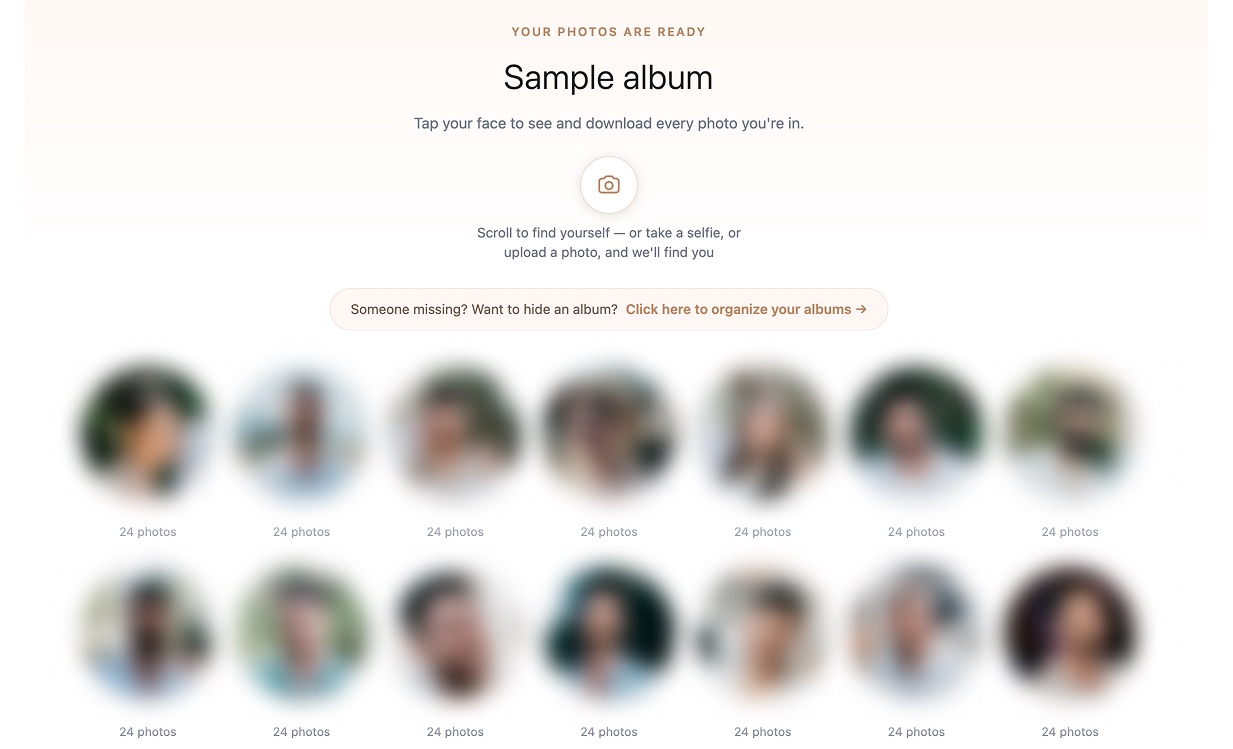
Privacy by design
Wedding photos are personal. PixieFaces is built to keep as little as possible.
Your photos stay on Pixieset
We don't copy your full gallery. We keep only face data, small face thumbnails and low-resolution previews.
Deleted after 30 days
Gallery data is deleted automatically after 30 days. You can ask for earlier deletion at any time.
Selfies aren't saved
A guest's selfie is used once to find their album and is never written to disk.
Hidden albums
You decide which albums are visible, or hide all of them until a guest verifies with a selfie.
Ready to try it on your gallery?
Tell me a little about your gallery and I'll get you set up.